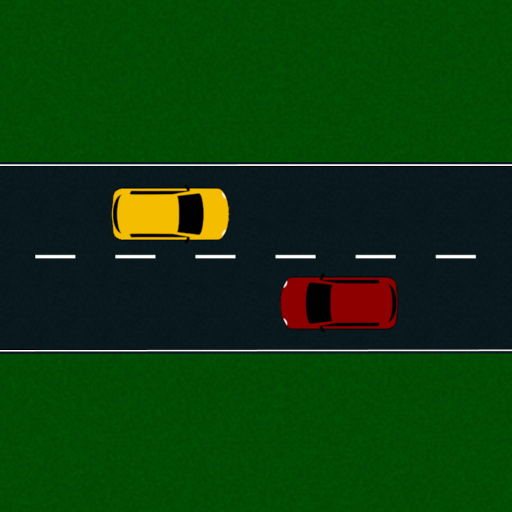
RoadDemo is a demonstration (visual aid) app for learning to drive.
Objects
Car
When a car is selected, the car interface is shown - each control is detailed below. At this point you can move a car by tapping anywhere within the scenario. A target will appear at that location, and the car will move toward it, steering if necessary. You can add multiple targets by tapping sequentially. If you haven’t recently added a target, tapping the screen will remove all targets. You can also drag on the screen, and targets will be added on release (or rapidly, if you have “Add targets when dragging” enabled in your options). This allows you to select a car, drag your finger to the target position, and release to add it in one motion.
Indicator buttons
Pressing these will turn on the car’s indicators. As I write this, I realise I have neglected to add hazard lights - these will be added in the next update.
Manual controls
Enabling this will show up a steering wheel and a slider labelled “Speed”. Setting the slider will cause the car to continuously move at that speed (ticking “Stop on release” will cause it to return to zero whenever you release your finger from the slider, stopping the car). The steering wheel on the right allows you to steer the car, mimicking a real car’s steering (note that the steering wheel’s full lock is at 540°, or 1.5 turns; some cars may be a bit less than this but usually somewhere between 450° (1.25 turns) and 540°).
Target speed slider
This slider sets the speed that the car will aim to go at when you add a target.
Static car
The static car (which looks like the other cars, but purple) is an object with the appearance of a car that can be placed into the scenario, but cannot be driven, or affected by collisions with other objects. This makes it useful for setting up scenarios with parked cars, which you want to place in one spot and not have accidentally moved.
Signs
Signs all act essentially the same. You can position them in the scenario as required, and they don’t interact with other objects. Double tap when selected to remove the post. Some signs can be flipped by tapping them when selected.
Coming soon
Remaining objects will be here very soon! Also, pictures!